News
Printing your Brashcards
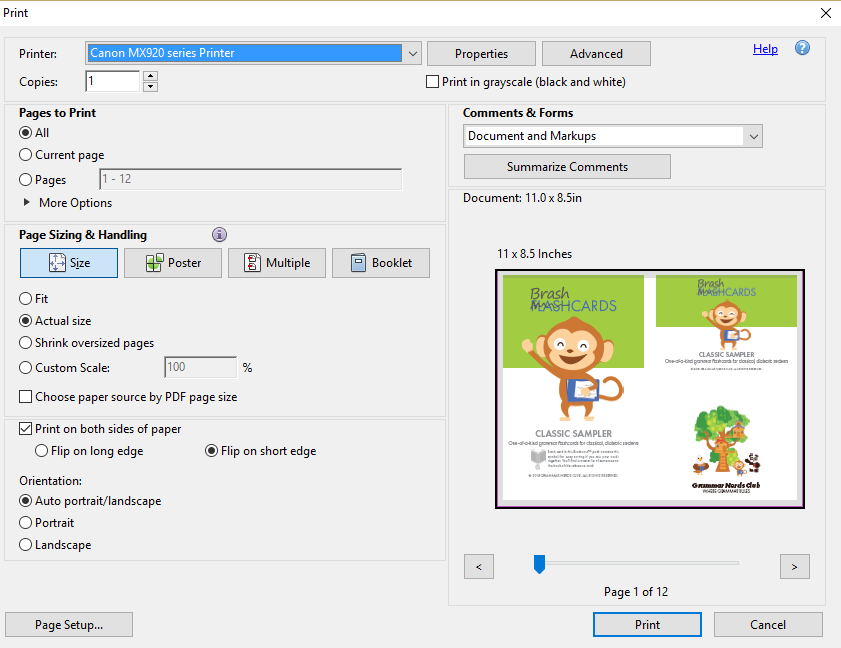
By now, many of you will have received your complimentary copy of our Classic Sampler Brashcards. To help you have the optimal experience when printing your cards, please be sure that your Adobe Acrobat settings are set as shown in this diagram:

Specifically, in Page Sizing & Handling, be sure that you've selected:
- Actual size
- Print on both sides of paper
- Flip on short edge
If you'd prefer not to have the diagrams on the backs of the cards, you can just print them one-sided and keep your answer keys in a separate binder or...